How to Choose a DJ Controller That Fits You
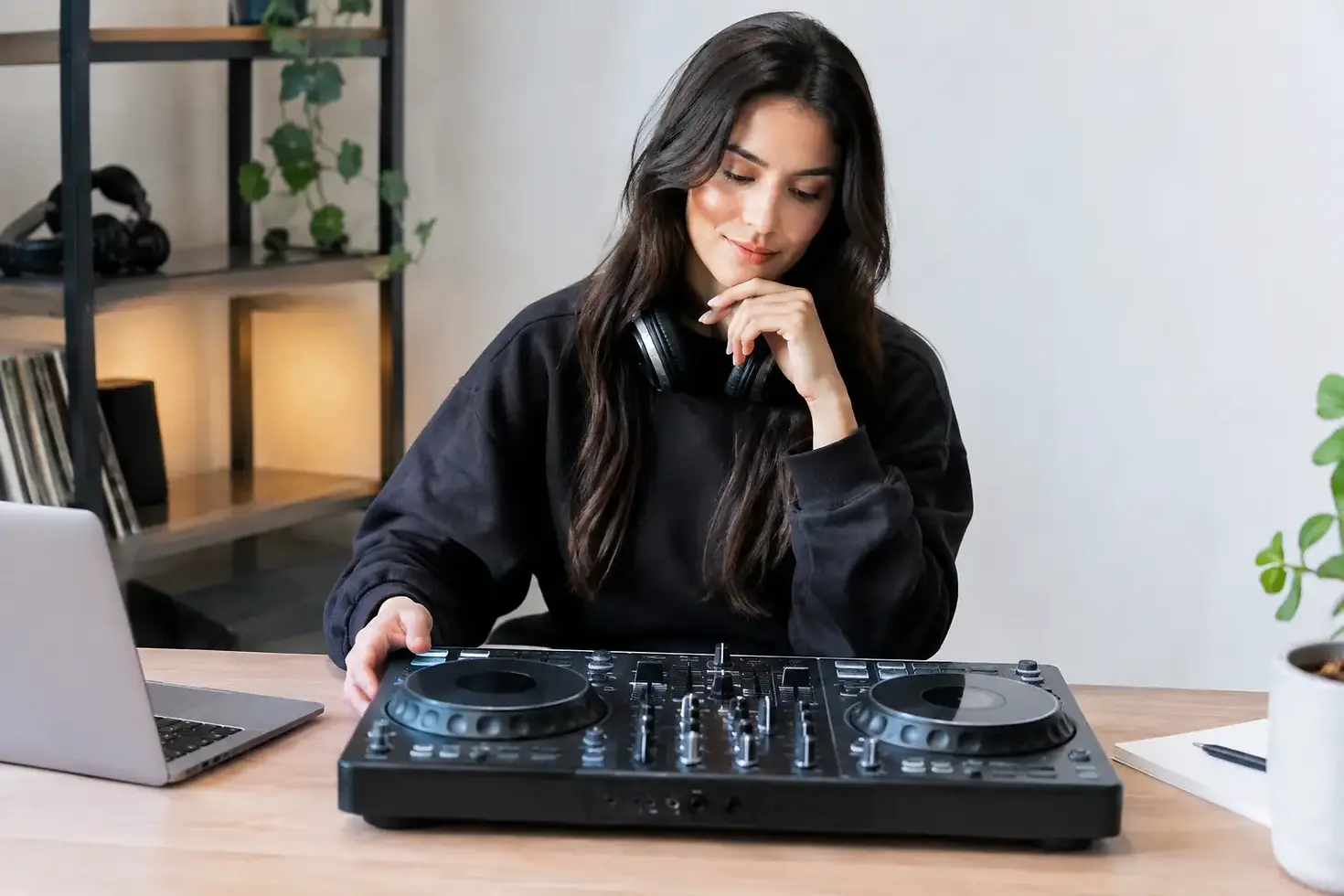
Your first DJ controller should make you want to practise, not leave you staring at buttons you are afraid to touch. The right setup gives you a clear route from your first beatmatch to a set you can perform with confidence. Knowing how to choose DJ controller equipment starts with your ambitions, not the biggest spec sheet or the lowest price.
A controller is the hands-on centre of a digital DJ setup. It lets you control decks, music files, effects and your mix with physical jog wheels, faders, knobs and pads. Yet not every model is built for the same kind of DJ. A bedroom beginner, an open-format party DJ and a producer who wants to blend original tracks will all value different features.
Start with where and how you will DJ
Be honest about your first six months. Will you be learning at home with headphones, preparing playlists for private events, or aiming to play longer sets for a crowd? Your answer changes what matters.
If you are starting from zero, prioritise a layout that is clear and inviting. You need essential controls you can reach without hunting through menus: channel faders, a crossfader, EQ knobs, cue buttons, play and cue controls, tempo faders and jog wheels. Learning on a controller that mirrors a professional DJ layout makes the transition to more advanced equipment much less intimidating.
If your goal is to play parties, focus on reliability, portability and quick setup. A compact controller can be ideal for travelling around Dubai, but check that it has the connections you need for speakers and headphones. If you are working towards club-style performance, a larger unit with full-sized jog wheels, more mixer controls and four-deck capability may be worth the extra space and investment.
There is no prize for buying advanced gear before you can use it. A focused two-channel controller can take you a long way when your timing, track selection and transitions are strong.
Choose a setup that supports your music style
House, Afro house, hip-hop, R&B, pop and open-format sets ask different things of a DJ. For long blends in house and techno, precise tempo control, comfortable pitch faders and responsive EQs matter most. For hip-hop, R&B and high-energy party sets, performance pads, cue points and quick effects can help you reshape a track and keep momentum high.
Do not let genre labels decide everything for you. The best controller is one that helps you build the sets you actually want to play. Think about the songs already in your library and the moments you want to create on the dancefloor.
How to choose DJ controller software compatibility
A DJ controller does not work in isolation. Most models are designed around specific DJ software, so check compatibility before you buy. The software affects how you manage music, analyse tracks, set cue points, organise playlists and use effects.
Some controllers include a software licence or unlock key features when connected. Others require a separate subscription or purchase to access their full potential. Confirm exactly what is included, what needs payment later and whether the software will run smoothly on your laptop or computer.
This is also a practical decision about your workflow. If you already have a growing music library prepared in one platform, changing software can mean redoing cue points and playlists. If you are completely new, choose an ecosystem that feels straightforward enough for you to practise consistently. The best software is the one you will learn properly, not the one with the longest feature list.
Prioritise controls you will genuinely use
Controllers can look impressive because they are covered in pads, screens and effects knobs. More controls are only useful when they support your development. Start with the feel of the core controls.
Jog wheels should respond naturally when you nudge a track into time, search through a song or practise basic scratching. They do not need to be huge, but they should feel solid rather than loose or delayed. Test them in person where possible, especially if scratching is one of your goals.
The mixer section deserves just as much attention. Look for dedicated three-band EQ controls, channel gain, headphone cue buttons and smooth faders. These are the tools you will use in every mix. A controller with clearly spaced controls helps you develop clean technique because your hands learn where everything belongs.
Performance pads are valuable when you want to trigger hot cues, loops, samples or effects. They are not essential for every beginner, but they can make practising more creative and help you prepare memorable transitions. Four decks can also be exciting, yet two well-managed decks are enough to learn phrasing, beatmatching and musical selection properly.
Check connections before you commit
A controller must connect to the rest of your setup. At minimum, you need a headphone output and an output for speakers. For home practice, a simple master output may be enough. For events and professional sound systems, balanced outputs can offer better noise resistance over longer cable runs.
Consider whether you need a microphone input for announcements or hosting. If you plan to connect turntables, media players or other external sources later, you will need more advanced inputs. These features cost more, so only pay for them when they match a real plan.
Do not forget the unglamorous details. Check the type of USB connection, whether cables are included, the power requirements and the controller's dimensions. A unit that does not fit your desk, laptop stand and speakers will make regular practice harder than it needs to be.
Set a budget that includes the full setup
Your controller budget is not the entire cost of becoming ready to DJ. You may also need headphones, speakers or studio monitors, cables, a laptop stand, a protective case and music. Set aside money for the essentials rather than spending everything on a feature-heavy controller.
Entry-level equipment is often the smart choice when you are still discovering your style. It can teach the same foundations as a more expensive setup: beatmatching, phrasing, EQ mixing, cueing and reading the energy of a set. Upgrade when you can clearly name what your current controller cannot do for you.
Buying used can offer good value, but inspect the jog wheels, faders, buttons and connections carefully. Test every channel and output. Intermittent controls are frustrating for a learner and risky when you eventually play for an audience.
Try before you buy if possible
Photos and videos cannot tell you how a controller feels under your hands. Spend time with one in person if you can. Load tracks, use the headphone cue, move the faders and see whether the layout makes sense without constant searching.
Pay attention to whether you feel encouraged to experiment. The right controller should give you enough room to grow while keeping the first lessons approachable. At Dancemania Dubai, one-to-one DJ training gives aspiring DJs the chance to develop real technique on professional equipment before making a purchase decision. That practical experience can save you from choosing gear based on marketing alone.
Make the controller part of a bigger plan
A controller is a tool, not a shortcut to great DJing. Your progress will come from regular practice, a well-organised music library and feedback on what you hear. Begin with short, achievable sessions: learn to count phrases, blend two compatible tracks, then record your mix and listen back with honesty.
Choose a controller you can set up quickly and use often. When the equipment feels familiar, you spend less time troubleshooting and more time building the musical judgement that makes people remember your set. Pick the setup that gets you practising this week, then let your skills tell you when it is time to move up.


Comments